Document 1920p* 1080p, Resolution 300
linear gradient
color #737778, #c2c6c8
drop this image in your document
rename as "lady"
add new adjustment layer "black & white"
levels
now select the layer mask of "black & white" adjustment layer
get pen tool
and draw a path as shown
ctrl + enter
fill it with color black
take a new layer
rename it as "black skin"
get the selection of "lady" layer
and fill the "black skin" layer with color black
now get the selection of layer mask of "black & white" adjustment layer
and delete
drop the opacity to 75%
now add layer mask to the same layer
use soft brush
and paint on the eye part as shown
now take a new layer
rename it as "noise"
use noise brush
brush settings (f5)
get the selection of "black skin" layer
and start painting, use color white
blending mode "soft light"
you can adjust the opacity if you want
now take a new layer
rename it as "mask 1"
use pent tool
draw a path as shown
press (ctrl + enter)
and fill it with color "black"
now get the selection of "black skin" layer
inverse the selection ( ctrl + shift + i )
and delete
turn off the "mask 1" layer
get the selection of "mask 1" layer
go back to the layer mask of "black skin" layer
and fill it with color "black"
now take a new layer above
rename it as "mask 2"
use pen tool
and draw a path as shown
press (ctrl + enter)
and fill it with color "black"
get the selection of "black skin" layer
now inverse the selection (ctrl + shift + i) and delete
turn off the "mask 2" layer
get the selection of "mask 2" layer
go back to the layer mask of "black skin" layer
and fill it with color "black"
now get the selection of "mask 1" layer
take a new layer above "black skin" layer
rename it as "black skin 2"
and fill it with color "black"
drop the opacity to 75%
now get the selection of "mask 2" layer
inverse the selection (ctrl + shift + i)
and hit delete
now take a new layer above "noise" layer
rename it as "overlay"
fill it with 50% grey
blending mode "overlay"
use dodge tool
and paint on the eyes as shown
no go back to the layer mask of "black skin" layer
use soft brush
use color black, and start painting on hairs as shown
now take a new layer above "noise" layer
rename it as "particles"
opacity 75%
use hard brush
color "black" and start painting as shown
now go back to the layer mask of "black skin" layer
and start painting the same on black portion
now select "black skin 2" layer
add layer mask
and do the same thing
now add new adjustment layer to the overall scene
color balance
brightness & contrast
now select "bg" layer
drop this background in your document
now press (ctrl + shift + alt + e)
blending mode "linear light"
filter - other - high pass
 For more infomation >> Cười không nhặt được mồm ║ Những pha chơi ngu hài hước bá đạo nhất ─ #59 - Duration: 10:44.

 For more infomation >> Mirai Nikki Opening 2 Dead END - Italian - Duration: 1:35.
  For more infomation >> President Donald Trump Speaks Out And Heads To Capitol Hill For Tax Discussions | TODAY - Duration: 3:45.
  For more infomation >> Videocast: Chances for flakes, rain ahead - Duration: 2:24.
  For more infomation >> NHỮNG LỜI TỎ TÌNH CỰC HAY VÀ LÃNG MẠN NHẤT TRONG NĂM - TUYỆT ĐỈNH NHẠC CHẾ 2018 - Duration: 50:11.
  For more infomation >> Wort Guru - Level 1188 (UPDATE: November 2017) - Lösung (Immer aktuell!) - Duration: 1:01.
  For more infomation >> Wort Guru - Level 1205 (UPDATE: November 2017) - Lösung (Immer aktuell!) - Duration: 1:01.

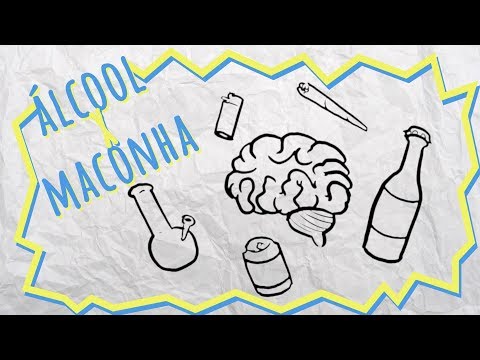 For more infomation >> Álcool x maconha - Duration: 5:36.
  For more infomation >> Yeh Jo Mohabbat Hai (HD) - Hindi Movie - Aditya Samanta | Nazia Hussain - (With Eng Subtitles) - Duration: 2:27:26.

Không có nhận xét nào:
Đăng nhận xét